Advanced Brand Management - Merge, Hide, and Exclude brands for cleaner insights
In the world of AI Search, brand boundaries aren't always black and white. Is Air Jordan a competitor to Nike, or is it an asset? Is YouTube a search engine or a social media competitor?
The answer depends on your strategy.
Until now, AI visibility tools have often presented a static list. Now, we are introducing Brand Management in Nimt.ai. Giving you full control to map the data to your specific organizational structure.
Map the data to your reality
Consolidate Sub-brands with Merge
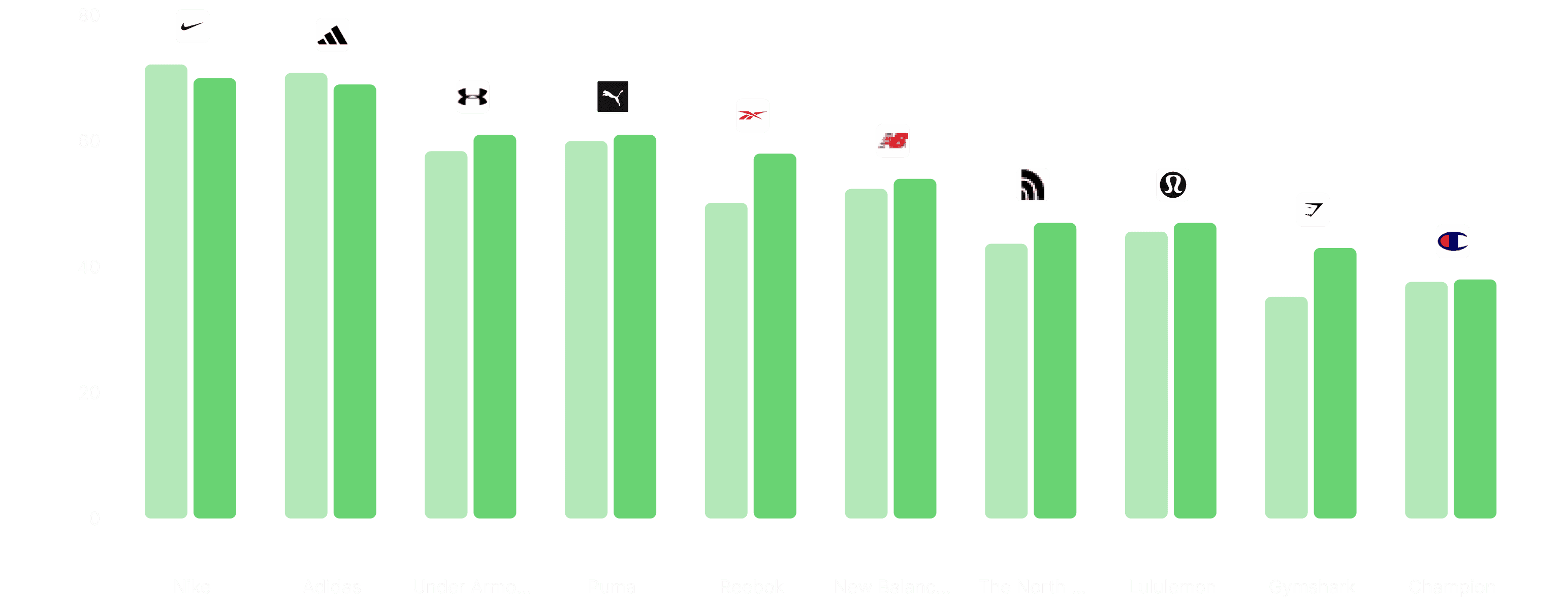
Large corporations often dominate search results through multiple sub-brands. Let's look at the sneaker industry. AI models might cite Nike and Air Jordan as two separate entities.
The strategic choice: You can keep them separate to track individual performance, OR you can use Merge to combine them into one powerful entity. This reveals the true "Group Level" dominance in the market.
Refine Your Competitive Set with Exclude
Ranking tables often include every entity that appears in an AI response. But just because Wikipedia or Amazon ranks for your keywords, doesn't mean you consider them direct competitors.
The strategic choice: Use Exclude to remove these non-core entities. Nimt.ai will instantly recalculate the data, giving you a clear picture of your market share against the rivals that actually matter.
Customize Your View
Whether you want to Rename brands to match your internal reports or Hide outliers to focus on specific battles, the new Brand Management tools ensure your dashboard reflects your business, not just raw data.
The 4 Actions Explained:
1. Merge (Consolidate Brands) Use this to combine a sub-brand into a parent brand or merge different variations into one entity.
Example: Merging "Air Jordan" into "Nike".
Result: The data from both brands is aggregated. This gives you a holistic view of the total brand dominance.
2. Exclude (Refine Market Share) Use this to remove brands that technically rank but aren't part of your competitive set.
Example: If you are a Direct-to-Consumer (D2C) brand, you might want to exclude marketplaces like "Amazon" or distinct industries that appear in broad searches.
Result: The brand is removed, and the market share is recalculated based only on the remaining competitors.
3. Hide (Focus View) Use this to temporarily remove a brand from your charts without changing the underlying numbers.
Example: Hiding a dominant market leader to see how the smaller challengers compare to each other.
Result: The brand is hidden from view, but data percentages remain unchanged.
4. Rename (Custom Labeling) Use this to adjust brand names to match your internal naming conventions.
Example: Changing "H&M Group" to just "H&M".
January 20, 2026
5
MIN READ